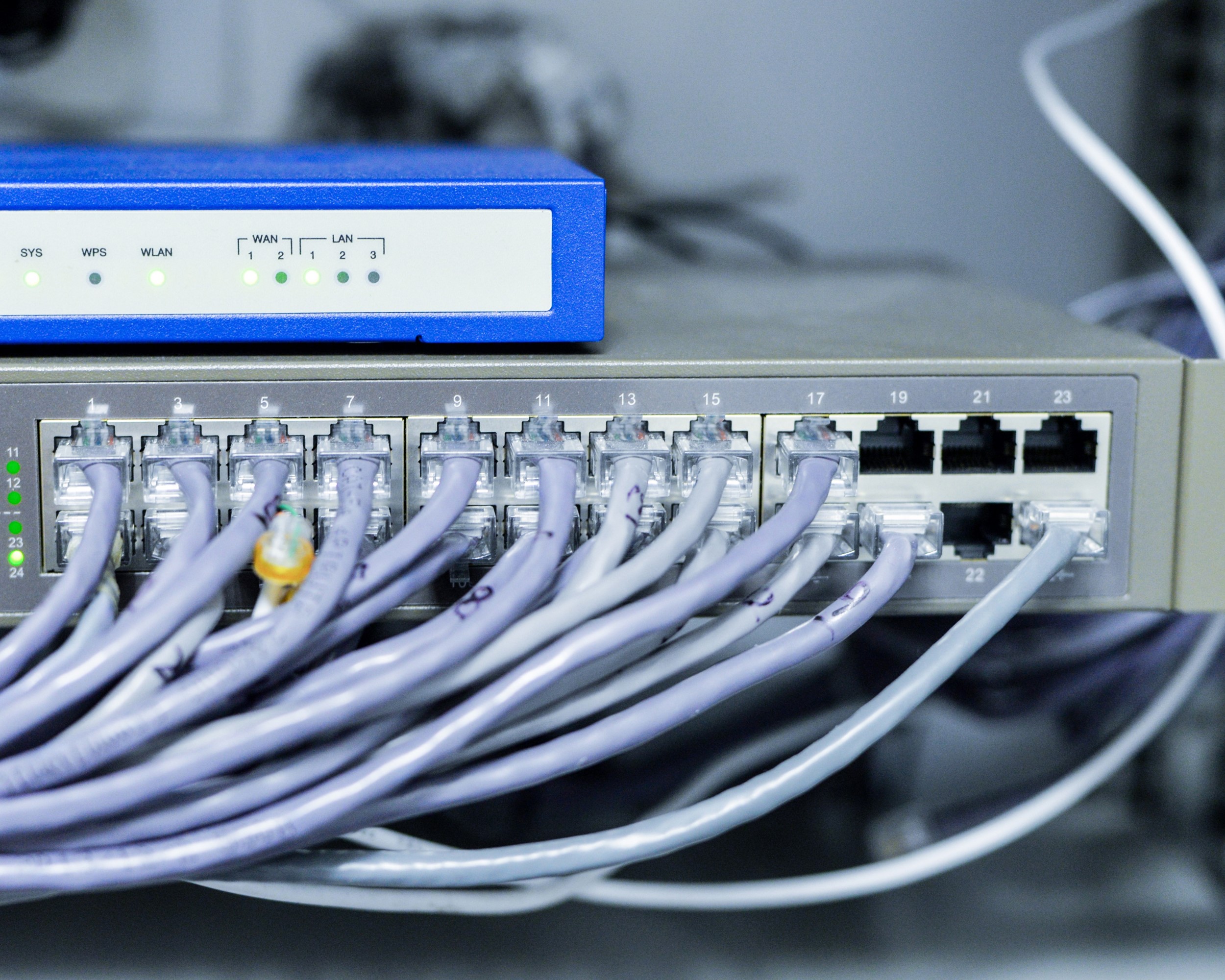
Training Unix Fundamental and System Administration

  OBJECTIVES

  • By the end of this course, attendes are able to:
  • Understand basic concept of UNIX operating system
  • Identify UNIX features and its advantages
  • Leverage generic UNIX utilities to support daily system maintenance
  • Write shell script and shell program
  • Perform system administration tasks such as user administration, system security, backup and restore
  • Perform system maintenance and trouble-shooting

  COURSE CONTENTS

  1. UNIX Installation
  2. Getting started with UNIX using visual “vi” editor
  3. File organizations
  4. Input-output process
  5. UNIX shell
  6. Roles and responsibilities of system administrator

 WHO SHOULD ATTEND

IT professional, system administrator, network engineer, application developer.

Fasilitas Yang Diperoleh

  • Lokasi Training di Hotel Bintang 3-5
  • Ruang Pelatihan Full AC, Toilet dan Musholla
  • Perlengkapan Visual LCD Proyektor, & Whiteboard
  • Modul / Handout(Hard Copy & Soft Copy)
  • Training Kit (Co-Card, Bolpoin, & Buku Catatan)
  • 1x Makan Siang dan 2x Coffee Break (Snack)
  • Penjemputan Bandara Hotel (Pulang-Pergi selama pelatihan)
  • Basement Tempat Parkir Motor dan Mobil yang Aman
  • Akses Internet Wireless
  • Smoking Area.
  • Sertifikat Keikutsertaan Training
  • Merchandise menarik dari Duta Pro Training & Consulting
  • Konsultasi dengan Instruktur/Narasumber setelah Pelatihan

Biaya Training

  • Rp 6.800.000,- / Peserta (termasuk penginapan, minimal 2 peserta)

Lokasi Training di Yogyakarta

Keterangan

  1. Jumlah Peserta dapat memperngaruhi biaya training.
  2. Biaya dan Lokasi diatas hanya untuk Private Training dan Public Training, untuk In House Training penawarannya dapat menghubungi kami dilink berikut (kontak kami).
  3. Jumlah peserta, jadwal training dan lokasi training dapat menyesuaikan permintaan.
  4. Pemintaan lokasi yang diluar daftar diatas dapat menghubungi kontak Marketing Kami.

Dapatkan Penawaran Harga Training Terbaik dari Kami!.

Untuk melihat jadwal pelatihan ini kunjungi Jadwal Training Update dan jika ingin mendaftar pelatihan public atau online training ini, silakan isi form di Formulir Pendaftaran.


Training Microsoft Access Terbaru

DESCRIPTION
This training will give you comprehensive guides to professionals which using Office application in their work. This training will cover all the features in Microsoft Access

COURSE OUTLINE

Understanding Databases
• Starting Access and Opening an Existing Database
• Moving Around in Access
• Understanding Datasheet View and Design View
• Using the Mouse Pointer to Navigate in Datasheet View
• Using the Keyboard to Navigate in Datasheet View

Creating Tables
• Creating a Database
• Creating a Table Using the Table Wizard
• Creating and Modifying a Table in Design View
• Adding Fields to Tables
• Adding and Editing Records
• Printing Tables
• Moving and Deleting Fields; Deleting Records

Working with Tables
• Formatting a Table; Modifying Field Properties
• Sorting Records in a Table
• Finding Records in a Table
• Using Filters with a Table
• Establishing Relationships Between Tables
• Creating Subdatasheets
• Importing Records From an External Source

Creating and Using Queries
• Creating and Running a Query
• Using Comparison Operators in a Query
• Creating a Calculated Field
• Creating a Multiple-Table Query
• Printing a Query

Designing a Form
• Creating a Form Using AutoForm
• Creating a Form Using the Form Wizard
• Adding Controls to a Form
• Modifying Control Properties
• Resizing and Moving Controls
• Navigating in a Form
• Entering Records into a Form
• Creating Calculated Controls

Designing Report
• Creating a Report Using AutoReport
• Creating a Report Using the Report Wizard
• Adding a Control to a Report
• Formatting a Report
• Resizing and Moving Controls in a Report
• Creating Calculated Controls
• Previewing and Printing a Report

Fasilitas Yang Diperoleh

  • Lokasi Training di Hotel Bintang 3-5
  • Ruang Pelatihan Full AC, Toilet dan Musholla
  • Perlengkapan Visual LCD Proyektor, & Whiteboard
  • Modul / Handout(Hard Copy & Soft Copy)
  • Training Kit (Co-Card, Bolpoin, & Buku Catatan)
  • 1x Makan Siang dan 2x Coffee Break (Snack)
  • Penjemputan Bandara Hotel (Pulang-Pergi selama pelatihan)
  • Basement Tempat Parkir Motor dan Mobil yang Aman
  • Akses Internet Wireless
  • Smoking Area.
  • Sertifikat Keikutsertaan Training
  • Merchandise menarik dari Duta Pro Training & Consulting
  • Konsultasi dengan Instruktur/Narasumber setelah Pelatihan

Biaya Training

  • Rp 6.800.000,- / Peserta (termasuk penginapan, minimal 2 peserta)

Lokasi Training di Yogyakarta

Keterangan

  1. Jumlah Peserta dapat memperngaruhi biaya training.
  2. Biaya dan Lokasi diatas hanya untuk Private Training dan Public Training, untuk In House Training penawarannya dapat menghubungi kami dilink berikut (kontak kami).
  3. Jumlah peserta, jadwal training dan lokasi training dapat menyesuaikan permintaan.
  4. Pemintaan lokasi yang diluar daftar diatas dapat menghubungi kontak Marketing Kami.

Dapatkan Penawaran Harga Training Terbaik dari Kami!.

Untuk melihat jadwal pelatihan ini kunjungi Jadwal Training Update dan jika ingin mendaftar pelatihan public atau online training ini, silakan isi form di Formulir Pendaftaran.


Training Java Programming Language

DESCRIPTION
The Java[tm] Programming Language course teaches students the syntax of the Java programming language; object-oriented programming with the Java programming language; creating graphical user interfaces (GUI), exceptions, file input/output (I/O), threads and networking. Programmers familiar with object- oriented concepts can learn how to develop Java application. The course uses the Java 2 Software Development Kit (SDK).

COURSE OUTLINE

Object-Oriented Programming
• Class, object, attribute, method, and constructor
• Write code to create and initialize an object

Identifiers, Keywords, and Types

• Keywords in the Java programming language
• Coding conventions for classes, interfaces, methods, variables, constants, and control structures
• Create a class definition for a simple class containing primitive member variables

Expressions and Flow Control

• Member and automatic variables
• Make appropriate use of if, switch, for, while, and do constructions and the labeled forms of break and continue

Arrays
• Declare and create arrays of primitive, class, or array types

Class Design
• Encapsulation, polymorphism, and inheritance
• Write overriding methods in a subclass and describe execution flow when executing an overridden method
• Control invocation of parent class constructors

Advanced Class Features Exception
• Exception categories
• Write code to handle your own exceptions

Text-Based Applications
• Write code to access command-line arguments and system properties
• Read and write text to file streams

Building Java GUIs
• Abstract Windowing Toolkit (AWT) package and its components
• Containers, components and layout managers, and how they work together to build a GUI

GUI Event Handling
• Create the appropriate interface and handler method for a variety of event types
• Determine how and when to use the appropriate adapter class to select a subset of event handlers for an event listener

GUI-Based Applications
• The key AWT components and the event types that they produce
• The Swing GUI library

Threads
• Create separate threads, controlling the code and data that are used by that thread
• Control the execution of a thread and write platform-independent code with threads
• Use wait() and notify() to communicate between threads

Advanced I/O Streams
• Construct and use node streams and processing streams
• Use the Serialization interface to encode the state of an object to a stream and to implement object persistence

Networking
• Create a minimal TCP/IP client


Fasilitas Yang Diperoleh

  • Lokasi Training di Hotel Bintang 3-5
  • Ruang Pelatihan Full AC, Toilet dan Musholla
  • Perlengkapan Visual LCD Proyektor, & Whiteboard
  • Modul / Handout(Hard Copy & Soft Copy)
  • Training Kit (Co-Card, Bolpoin, & Buku Catatan)
  • 1x Makan Siang dan 2x Coffee Break (Snack)
  • Penjemputan Bandara Hotel (Pulang-Pergi selama pelatihan)
  • Basement Tempat Parkir Motor dan Mobil yang Aman
  • Akses Internet Wireless
  • Smoking Area.
  • Sertifikat Keikutsertaan Training
  • Merchandise menarik dari Duta Pro Training & Consulting
  • Konsultasi dengan Instruktur/Narasumber setelah Pelatihan

Biaya Training

  • Rp 6.800.000,- / Peserta (termasuk penginapan, minimal 2 peserta)

Lokasi Training di Yogyakarta

Keterangan

  1. Jumlah Peserta dapat memperngaruhi biaya training.
  2. Biaya dan Lokasi diatas hanya untuk Private Training dan Public Training, untuk In House Training penawarannya dapat menghubungi kami dilink berikut (kontak kami).
  3. Jumlah peserta, jadwal training dan lokasi training dapat menyesuaikan permintaan.
  4. Pemintaan lokasi yang diluar daftar diatas dapat menghubungi kontak Marketing Kami.

Dapatkan Penawaran Harga Training Terbaik dari Kami!.

Untuk melihat jadwal pelatihan ini kunjungi Jadwal Training Update dan jika ingin mendaftar pelatihan public atau online training ini, silakan isi form di Formulir Pendaftaran.



Training UNIX Network Administration

DESCRIPTION
This training provides a comprehensive guidance to every professional who wants to build a UNIX and TCP/IP-based network. This training covers from TCP/IP introduction up to managing advanced TCP/IP services such as NFS, DNS, Routing, PPP, Web server. This training is also cover how to integrate UNIX with other platform such as Windows NT.

COURSE OUTLINE

TCP/IP Network Concept
• IP Address
• IP netmask
• /etc/hosts file configuration
• ARP and RARP

TCP/IP Installation and Configuration
• Assigning and activating IP Address
• IP Subnetting

TCP/IP Services
• inetd services
• Stand Alone Services
• Berkeley utilities
• Remote Back Up

Routing
• Routing configuration
• Daemons for Routing
• Routing utilities: netstat, ping, trace route

Point to Point Protocol (PPP)
• PPP configuration
• Serial communication

Network File System (NFS)
• NFS Overview
• NFS daemons
• Automounter

Domain Name Server (DNS)
• DNS Concept
• Primary /Secondary Name Server
• nslookup utility

Web Server Administration
• Web Server installation
• Web Server configuration
• HTML and CGI test

UNIX-Windows Connectivity

• TCP/IP configuration for Windows
• Terminal Emulator
• File Transfer
• Print Services LPD
• Remote Printing

Fasilitas Yang Diperoleh

  • Lokasi Training di Hotel Bintang 3-5
  • Ruang Pelatihan Full AC, Toilet dan Musholla
  • Perlengkapan Visual LCD Proyektor, & Whiteboard
  • Modul / Handout(Hard Copy & Soft Copy)
  • Training Kit (Co-Card, Bolpoin, & Buku Catatan)
  • 1x Makan Siang dan 2x Coffee Break (Snack)
  • Penjemputan Bandara Hotel (Pulang-Pergi selama pelatihan)
  • Basement Tempat Parkir Motor dan Mobil yang Aman
  • Akses Internet Wireless
  • Smoking Area.
  • Sertifikat Keikutsertaan Training
  • Merchandise menarik dari Duta Pro Training & Consulting
  • Konsultasi dengan Instruktur/Narasumber setelah Pelatihan

Biaya Training

  • Rp 6.800.000,- / Peserta (termasuk penginapan, minimal 2 peserta)

Lokasi Training di Yogyakarta

Keterangan

  1. Jumlah Peserta dapat memperngaruhi biaya training.
  2. Biaya dan Lokasi diatas hanya untuk Private Training dan Public Training, untuk In House Training penawarannya dapat menghubungi kami dilink berikut (kontak kami).
  3. Jumlah peserta, jadwal training dan lokasi training dapat menyesuaikan permintaan.
  4. Pemintaan lokasi yang diluar daftar diatas dapat menghubungi kontak Marketing Kami.

Dapatkan Penawaran Harga Training Terbaik dari Kami!.

Untuk melihat jadwal pelatihan ini kunjungi Jadwal Training Update dan jika ingin mendaftar pelatihan public atau online training ini, silakan isi form di Formulir Pendaftaran.



Training Linux Desktop and Open Office Fast Track

DESCRIPTION

This course provides training to OpenOffice [tm] software users on how to complete tasks within three areas in the OpenOffice environment: Mandrake Linux Desktop, the OpenOffice spreadsheet application, and the OpenOffice word processing application.

The instructor-led Course is presented using examples and scenarios, where you are to complete a given task. It explains the simplest method to complete a task, and informs students about alternative methods to do the same task. Additional features covered in this course include editing data, formatting, enhancing page layouts, navigating through various sheets, and inserting images and characters into spreadsheets.

COURSE OUTLINE

Linux Desktop Fundamentals

  • Navigating Linux Desktop
  • Web browsing in Linux Environment
  • Using Linux Desktop Utilities (Printing, E-mail, Calendar, etc.)
  • Filesystem Management (Create folder, open and storing files)

Working With Text Documents

  • Spellcheck & AutoSpellcheck
  • AutoCorrect & AutoComplete
  • Find and replace
  • Special characters
  • Navigator & AutoPilot
  • Inserting headers and footers & Inserting fields
  • Formatting text into columns
  • Sorting text
  • Applying the bullet or numbering format
  • Using tables
  • Inserting charts, graphics & images
  • Wrapping text around objects
  • Manage large or multiple documents by using Indexes & Table of contents
  • Print a document
  • Manage versions of a document by:
  • Recording the changes in a document
  • Merging document versions

Working With Spreadsheets

  • Open a spreadsheet
  • Format a spreadsheet by modifying Margins, Layout, Background, Borders, Headers and footers
  • Format cell contents by Changing the style, size, and color of fonts, Changing the alignment and Changing the text flow, direction, and alignment
  • Applying formats, including the date, currency, time, and numbers
  • Enter a series with the Fill feature
  • Hide, unhide, merge, and freeze cells
  • Filter data by using the Standard Filter
  • Sort data
  • Compute data
  • Save a spreadsheet in different file formats
  • Organize data by using sheets
  • Depict data graphically
  • Print a spreadsheet
  • Use templates

Dekstop Management

  • Startup and Shutdown System
  • Changing User Profile
  • System Backup and Restore
  • Using network environment facilities (Samba, remote printing)
  • Using media (diskettes, CD-ROMS)
  •   Managing Desktop Profile

Fasilitas Yang Diperoleh

  • Lokasi Training di Hotel Bintang 3-5
  • Ruang Pelatihan Full AC, Toilet dan Musholla
  • Perlengkapan Visual LCD Proyektor, & Whiteboard
  • Modul / Handout(Hard Copy & Soft Copy)
  • Training Kit (Co-Card, Bolpoin, & Buku Catatan)
  • 1x Makan Siang dan 2x Coffee Break (Snack)
  • Penjemputan Bandara Hotel (Pulang-Pergi selama pelatihan)
  • Basement Tempat Parkir Motor dan Mobil yang Aman
  • Akses Internet Wireless
  • Smoking Area.
  • Sertifikat Keikutsertaan Training
  • Merchandise menarik dari Duta Pro Training & Consulting
  • Konsultasi dengan Instruktur/Narasumber setelah Pelatihan

Biaya Training

  • Rp 6.800.000,- / Peserta (termasuk penginapan, minimal 2 peserta)

Lokasi Training di Yogyakarta

Keterangan

  1. Jumlah Peserta dapat memperngaruhi biaya training.
  2. Biaya dan Lokasi diatas hanya untuk Private Training dan Public Training, untuk In House Training penawarannya dapat menghubungi kami dilink berikut (kontak kami).
  3. Jumlah peserta, jadwal training dan lokasi training dapat menyesuaikan permintaan.
  4. Pemintaan lokasi yang diluar daftar diatas dapat menghubungi kontak Marketing Kami.

Dapatkan Penawaran Harga Training Terbaik dari Kami!.

Untuk melihat jadwal pelatihan ini kunjungi Jadwal Training Update dan jika ingin mendaftar pelatihan public atau online training ini, silakan isi form di Formulir Pendaftaran.


Training PC Hardware A+ Fundamental


DESCRIPTION
This is a five-day course that prepares A+ certification candidates for the CompTIA A+ hardware exam. Topics include a detailed look at hardware components, power supply, upgrades, networking, maintenance and troubleshooting. In hands-on exercises, students will assign configuration settings, upgrade systems, configure SCSI devices, install printers and monitors, remove and replace components, and troubleshoot POST errors.


COURSE OUTLINE

Component Overview
• Motherboard Components
• Nonvolatile Storage Devices
• Peripheral Devices
• Portable System Components
• Boot Process

System Power
• Power Supply and Power Terms
• Power Supply Voltages (incl. Laptop)
• Other power and Voltage Concerns
• Safety

Motherboard
• Motherboard Forms and Layout
• Microprocessors
• Intel, AMD, and Cyrix Microprocessors
• Memory
• RAM Memory Types
• BIOS & CMOS RAM

Installation and Configuration
• IRQ & DMA
• I/O Address & ROM BIOS Address
• Industry Standard Architecture (ISA)
• Accelerated Graphics Port (AGP)
• Peripheral Component Interconnect (PCI)
• Personal Computer Memory Card Industry
• Association (PCMCIA)
• Adapter Board Installation and Configuration
• Resource Conflicts

Disk Drives
• Floppy and Hard Disk Drives
• IDE and EIDE Disk Drives
• IDE/EIDE removal and Replacement
• Small System Computer Interface (SCSI)
• Internal and External SCSI Installation
• Portable System Storage Devices

Peripherals
• Standard Ports
• Connectors and Cables
• Common Input Devices
• Monitors
• Printers
• Modems & Other Peripherals

System Upgrades

• Basic Input/Output System (BIOS)
• Upgrades
• Microprocessor Upgrade
• Memory Upgrade
• Hard disk drive Upgrade
• Portable system Upgrades

Networking
• Networking Concepts
• Data communication Cable
• Network Access Methods
• Ethernet
• Token Ring
• Network Implementation and Software
• Network Support Issues

System Maintenance
• Preventive Maintenance and Procedures
• Disposal Concerns
• Desktop Removal and Replacement
• Portable Removal and Replacement

Troubleshooting

• Troubleshooting Fundamentals
• Basic Procedures
• Documentation
• Troubleshooting Tools
• Common Problems
• Power on Self Test (POST)
• Common System Errors

Fasilitas Yang Diperoleh

  • Lokasi Training di Hotel Bintang 3-5
  • Ruang Pelatihan Full AC, Toilet dan Musholla
  • Perlengkapan Visual LCD Proyektor, & Whiteboard
  • Modul / Handout(Hard Copy & Soft Copy)
  • Training Kit (Co-Card, Bolpoin, & Buku Catatan)
  • 1x Makan Siang dan 2x Coffee Break (Snack)
  • Penjemputan Bandara Hotel (Pulang-Pergi selama pelatihan)
  • Basement Tempat Parkir Motor dan Mobil yang Aman
  • Akses Internet Wireless
  • Smoking Area.
  • Sertifikat Keikutsertaan Training
  • Merchandise menarik dari Duta Pro Training & Consulting
  • Konsultasi dengan Instruktur/Narasumber setelah Pelatihan

Biaya Training

  • Rp 6.800.000,- / Peserta (termasuk penginapan, minimal 2 peserta)

Lokasi Training di Yogyakarta

Keterangan

  1. Jumlah Peserta dapat memperngaruhi biaya training.
  2. Biaya dan Lokasi diatas hanya untuk Private Training dan Public Training, untuk In House Training penawarannya dapat menghubungi kami dilink berikut (kontak kami).
  3. Jumlah peserta, jadwal training dan lokasi training dapat menyesuaikan permintaan.
  4. Pemintaan lokasi yang diluar daftar diatas dapat menghubungi kontak Marketing Kami.

Dapatkan Penawaran Harga Training Terbaik dari Kami!.

Untuk melihat jadwal pelatihan ini kunjungi Jadwal Training Update dan jika ingin mendaftar pelatihan public atau online training ini, silakan isi form di Formulir Pendaftaran.


Training Oracle DBMS FundamentalTraining Oracle DBMS Fundamental


DESCRIPTION
This training provides comprehensive methods for application developer who wants to build application based on Oracle database and PL/SQL programming tools. This training also include workshop that provide participants with various cases on developing application using PL/SQL and SQL*PLUS.

COURSE OUTLINE

Oracle and Client/Server Concept
• N-Tier Computation
• Oracle Database Server
• Entity Relationship Diagram (ERD)

SQL*PLUS
• Introduction to SQL*Plus
• Start SQL*Plus
• Instruction Editing
• Table Description (Data Structure)
• SQL*Plus Report
• Break On & 2 Level Break

Access Right and User’s Role (Security)
• User, Rights and Role
• Access Right (Privileges)
• Role

Database Normalization Process in Database Design
• Normalization Theory
• Structure of a Relation
• Rules of Axiom Functional Dependencies
• 1NF (First Normal Form), 2NF (Second Normal Form), 3NF (Third Normal Form)

NAVIGATOR Personal Oracle8
• Navigator Components
• Local Database Property
• Project
• Creating Database Connection

Oracle DATABASE TABLE
• Data Definition Language (DDL)
• Create and Delete Table
• Data Integrity
• Primary KEY (PK)
• Constraint (NOT NULL, UNIQUE, CHECK, FOREIGN KEY)
• Drop Constraint

SQL Workshop
• SELECT …WHERE
• Operator and Comparison
• LIKE, IN, IS NULL, BETWEEN
• Preparing Data
• Sub-query
• Arithmetic Function
• Group function AVG, SUM, MAX, MIN, COUNT
• Group By, Having, Join

VIEW
• Create VIEW
• Insert, Update, Delete using VIEW

SQL Programming (PL/SQL)
• PL/SQL (Procedural Language SQL)
• PL/SQL Framework
• Variable declaration
• PL/SQL with SQL instruction
• Exception Handling, Function, Parameter and Loop

Fasilitas Yang Diperoleh

  • Lokasi Training di Hotel Bintang 3-5
  • Ruang Pelatihan Full AC, Toilet dan Musholla
  • Perlengkapan Visual LCD Proyektor, & Whiteboard
  • Modul / Handout(Hard Copy & Soft Copy)
  • Training Kit (Co-Card, Bolpoin, & Buku Catatan)
  • 1x Makan Siang dan 2x Coffee Break (Snack)
  • Penjemputan Bandara Hotel (Pulang-Pergi selama pelatihan)
  • Basement Tempat Parkir Motor dan Mobil yang Aman
  • Akses Internet Wireless
  • Smoking Area.
  • Sertifikat Keikutsertaan Training
  • Merchandise menarik dari Duta Pro Training & Consulting
  • Konsultasi dengan Instruktur/Narasumber setelah Pelatihan

Biaya Training

  • Rp 6.800.000,- / Peserta (termasuk penginapan, minimal 2 peserta)

Lokasi Training di Yogyakarta

Keterangan

  1. Jumlah Peserta dapat memperngaruhi biaya training.
  2. Biaya dan Lokasi diatas hanya untuk Private Training dan Public Training, untuk In House Training penawarannya dapat menghubungi kami dilink berikut (kontak kami).
  3. Jumlah peserta, jadwal training dan lokasi training dapat menyesuaikan permintaan.
  4. Pemintaan lokasi yang diluar daftar diatas dapat menghubungi kontak Marketing Kami.

Dapatkan Penawaran Harga Training Terbaik dari Kami!.

Untuk melihat jadwal pelatihan ini kunjungi Jadwal Training Update dan jika ingin mendaftar pelatihan public atau online training ini, silakan isi form di Formulir Pendaftaran.


Fireworks Training (IT-9)

Deskripsi :

This course provides a comprehensive introduction to Fireworks allowing you to create animated gifs for banner ads, create rollover buttons, slice up images and optimise your files for the Web. This fireworks course is recommended for anyone who needs to produce professional looking Web graphics.


Course Outline :

  • Painting and Drawing with fireworks
  1. Working with gradients
  2. Layers
  3. Grouping
  4. TextFilters and effects
  5. History panel and scripting
  • Optimising and exporting files
  • Masks in fireworks
  • Image Maps in fireworks
  • Batch Processing in fireworks
  • Dreamweaver and Fireworks
  • Exporting an Image in fireworks
  1. Choosing the best file format
  2. Creating a simple navigation bar with rollover buttons
  3. Adding effects to an object
  4. To use Fireworks to create slices
  • Symbols and Instances in fireworks
  • Automation Techniques with fireworks
  • Using the Pixel Tools in fireworks
  • Editing a stroke in fireworks
  • Path Tools in fireworks
  1. Creating simple shapes
  2. Paths
  3. Curves
  4. Points and Anchors
  5. To draw with the brush
  6. To use the Auto Erase
  • Animation in fireworks


Peserta :

Programmers, Staff IT, Web Design


Fasilitas Yang Diperoleh

  • Lokasi Training di Hotel Bintang 3-5
  • Ruang Pelatihan Full AC, Toilet dan Musholla
  • Perlengkapan Visual LCD Proyektor, & Whiteboard
  • Modul / Handout(Hard Copy & Soft Copy)
  • Training Kit (Co-Card, Bolpoin, & Buku Catatan)
  • 1x Makan Siang dan 2x Coffee Break (Snack)
  • Penjemputan Bandara Hotel (Pulang-Pergi selama pelatihan)
  • Basement Tempat Parkir Motor dan Mobil yang Aman
  • Akses Internet Wireless
  • Smoking Area.
  • Sertifikat Keikutsertaan Training
  • Merchandise menarik dari Duta Pro Training & Consulting
  • Konsultasi dengan Instruktur/Narasumber setelah Pelatihan

Biaya Training

  • Rp 6.800.000,- / Peserta (termasuk penginapan, minimal 2 peserta)

Lokasi Training di Yogyakarta

Keterangan

  1. Jumlah Peserta dapat memperngaruhi biaya training.
  2. Biaya dan Lokasi diatas hanya untuk Private Training dan Public Training, untuk In House Training penawarannya dapat menghubungi kami dilink berikut (kontak kami).
  3. Jumlah peserta, jadwal training dan lokasi training dapat menyesuaikan permintaan.
  4. Pemintaan lokasi yang diluar daftar diatas dapat menghubungi kontak Marketing Kami.

Dapatkan Penawaran Harga Training Terbaik dari Kami!.

Untuk melihat jadwal pelatihan ini kunjungi Jadwal Training Update dan jika ingin mendaftar pelatihan public atau online training ini, silakan isi form di Formulir Pendaftaran.


Flash Training (IT-10)

Deskripsi :

During this Macromedia Flash training course, delegates will cover the basics of Flash: importing, creating & editing vector graphics and creating simple animations, creating interactive elements, more advanced animation techniques, incorporating sound and video and testing Flash movies.

Course Outline :

  • Introduction to Flash
  • Flash basics
  1. Setting Movie properties
  2. Using Vector-based paint and draw tools
  3. Creating & editing shapes and working with shapes and elements
  4. Grouping elements
  5. Using panels and shortcuts for effeciency.
    • Creating vector graphics
    • Text
  6. Creating and editing text
  7. Breaking apart and reshaping text
  8. Adjusting weighting, font, style and alignment
    • Transformations
  9. Rotating, skewing, scaling and fliping
  10. Free Transform
    • Layers and Keyframes
  11. Locking layers and colour coding layers
  12. Using Mask and masked layers
  13. Understanding frames and keyframes
    • Creating simple animations
  14. Using the Timeline Frames and keyframes
  15. Using the onion skin and outline colours mode
  16. Frame by frame animations
    • More animation features
  17. Creating tweened animations
  18. Shape and motion tweening
  19. Creating animations along a path
    • Symbols and Instances
    • Importing Images/Jpegs
    • Interactivity
    • Sound
  20. Importing sound
  21. Adding sound to a scene and adding sound to buttons
  22. Synchronising sound
  23. Streaming audio with MP3 compression
    • Management
  24. Using the library to organise elements
  25. Using the Movie Explorer to keep track of elements
    • Testing and Publishing

Peserta :

Programmers, Staff IT, Web Design

Fasilitas Yang Diperoleh

  • Lokasi Training di Hotel Bintang 3-5
  • Ruang Pelatihan Full AC, Toilet dan Musholla
  • Perlengkapan Visual LCD Proyektor, & Whiteboard
  • Modul / Handout(Hard Copy & Soft Copy)
  • Training Kit (Co-Card, Bolpoin, & Buku Catatan)
  • 1x Makan Siang dan 2x Coffee Break (Snack)
  • Penjemputan Bandara Hotel (Pulang-Pergi selama pelatihan)
  • Basement Tempat Parkir Motor dan Mobil yang Aman
  • Akses Internet Wireless
  • Smoking Area.
  • Sertifikat Keikutsertaan Training
  • Merchandise menarik dari Duta Pro Training & Consulting
  • Konsultasi dengan Instruktur/Narasumber setelah Pelatihan

Biaya Training

  • Rp 6.800.000,- / Peserta (termasuk penginapan, minimal 2 peserta)

Lokasi Training di Yogyakarta

Keterangan

  1. Jumlah Peserta dapat memperngaruhi biaya training.
  2. Biaya dan Lokasi diatas hanya untuk Private Training dan Public Training, untuk In House Training penawarannya dapat menghubungi kami dilink berikut (kontak kami).
  3. Jumlah peserta, jadwal training dan lokasi training dapat menyesuaikan permintaan.
  4. Pemintaan lokasi yang diluar daftar diatas dapat menghubungi kontak Marketing Kami.

Dapatkan Penawaran Harga Training Terbaik dari Kami!.

Untuk melihat jadwal pelatihan ini kunjungi Jadwal Training Update dan jika ingin mendaftar pelatihan public atau online training ini, silakan isi form di Formulir Pendaftaran.


Linux Training (IT-17)

Dekripsi

This course focuses on the underlying principles of Unix and Linux in a system-independent way, ensuring that delegates learn the core concepts, which apply throughout Unix and are present in all versions of Linux, no matter who the vendor may be (e.g. UnitedLinux, Red Hat, SuSE, Debian Linux, Mandrake, Sun Solaris and Linux, BSD Unix, FreeBSD, NetBSD, OpenBSD, AIX, HP-UX, Tru64 Unix, etc.)


Course Outline :

  • Introduction
  • The Unix and Linux command line
  • Regular expression searches
  • Documentation
  • Text editing with Vi
  • Processes and jobs
  • Filesystem concepts and use
  • Filesystem security
  • Filesystem design and maintenance
  • Booting and runlevels
  • Managing user accounts and configuration files
  • Scheduling, logging and backup
  • Installing software
  • The Linux kernel
  • The X window system
  • Advanced shell usage
  • Shell scripting and configuration
  • TCP/IP networking configuration
  • Linux network services
  • DNS and email services
  • Basic configuration of Apache
  • Networked filesystems


Peserta :

Karyawan yang berpengalaman dalam pengoperasian Komputer, administrasi dan staff IT Departemen

Fasilitas Yang Diperoleh

  • Lokasi Training di Hotel Bintang 3-5
  • Ruang Pelatihan Full AC, Toilet dan Musholla
  • Perlengkapan Visual LCD Proyektor, & Whiteboard
  • Modul / Handout(Hard Copy & Soft Copy)
  • Training Kit (Co-Card, Bolpoin, & Buku Catatan)
  • 1x Makan Siang dan 2x Coffee Break (Snack)
  • Penjemputan Bandara Hotel (Pulang-Pergi selama pelatihan)
  • Basement Tempat Parkir Motor dan Mobil yang Aman
  • Akses Internet Wireless
  • Smoking Area.
  • Sertifikat Keikutsertaan Training
  • Merchandise menarik dari Duta Pro Training & Consulting
  • Konsultasi dengan Instruktur/Narasumber setelah Pelatihan

Biaya Training

  • Rp 6.800.000,- / Peserta (termasuk penginapan, minimal 2 peserta)

Lokasi Training di Yogyakarta

Keterangan

  1. Jumlah Peserta dapat memperngaruhi biaya training.
  2. Biaya dan Lokasi diatas hanya untuk Private Training dan Public Training, untuk In House Training penawarannya dapat menghubungi kami dilink berikut (kontak kami).
  3. Jumlah peserta, jadwal training dan lokasi training dapat menyesuaikan permintaan.
  4. Pemintaan lokasi yang diluar daftar diatas dapat menghubungi kontak Marketing Kami.

Dapatkan Penawaran Harga Training Terbaik dari Kami!.

Untuk melihat jadwal pelatihan ini kunjungi Jadwal Training Update dan jika ingin mendaftar pelatihan public atau online training ini, silakan isi form di Formulir Pendaftaran.